Use case
Use Senvra when a shared device, synced photo library, or ordinary Files folder makes private media too easy to surface.
 MonoWare

Product guide
Private media protectionKeep sensitive photos, videos, files, audio, notes, and records out of exposed albums and cloud folders with an on-device encrypted vault and portable recovery.
Latest release
A recovery-focused release for storing and moving the Access Key without turning recovery into a hosted service.
Read the 1.4.0 release notesOverview
Use Senvra when private content needs a stronger boundary than Photos, Files, or a shared cloud account. It keeps vault data local, separates private spaces, protects saved Access Key copies with a separate PIN, supports QR transfer, and creates portable encrypted backups.
In practice
Use Senvra when a shared device, synced photo library, or ordinary Files folder makes private media too easy to surface.
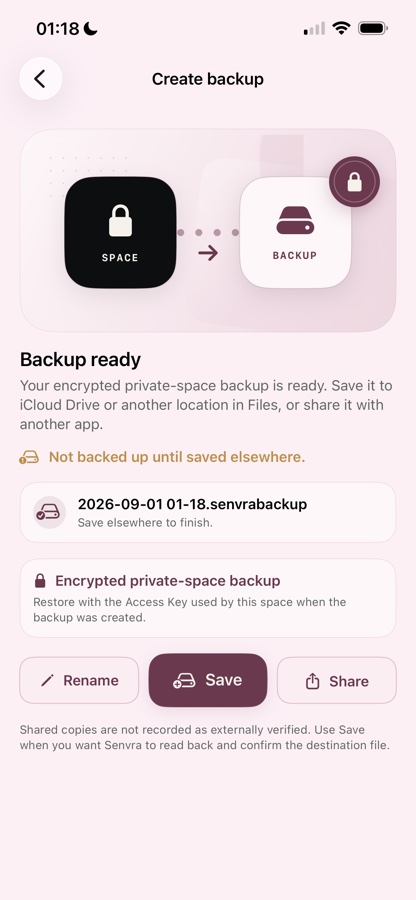
Choose the items that need protection, import them into a local vault, separate them into private spaces, and create an encrypted backup when you need a portable recovery copy.
Vault content stays on the device and does not require a MonoWare account or cloud vault. Data leaves the vault only through an export or backup action you start.
Senvra engineering notes
Technical decisions, implementation details, and product context published for Senvra.
The everyday storage and copy-paste problem that led us to design optional PIN protection and QR transfer for private space Access Keys.
Senvra 1.3 adds portable encrypted backup and restore, personal space skins, a free starting plan, and a more complete on-device media experience.
A practical explanation of Senvra's password, Space Access Key, master-key wrapping, and local encryption boundary.
How private-space backups use the source Space Access Key, why public-space backups are not confidential, and how Senvra verifies saved files before recovery.
A practical look at Senvra’s trusted-device assumptions, authenticated encryption, recovery design, and protections for real-world interruptions.