

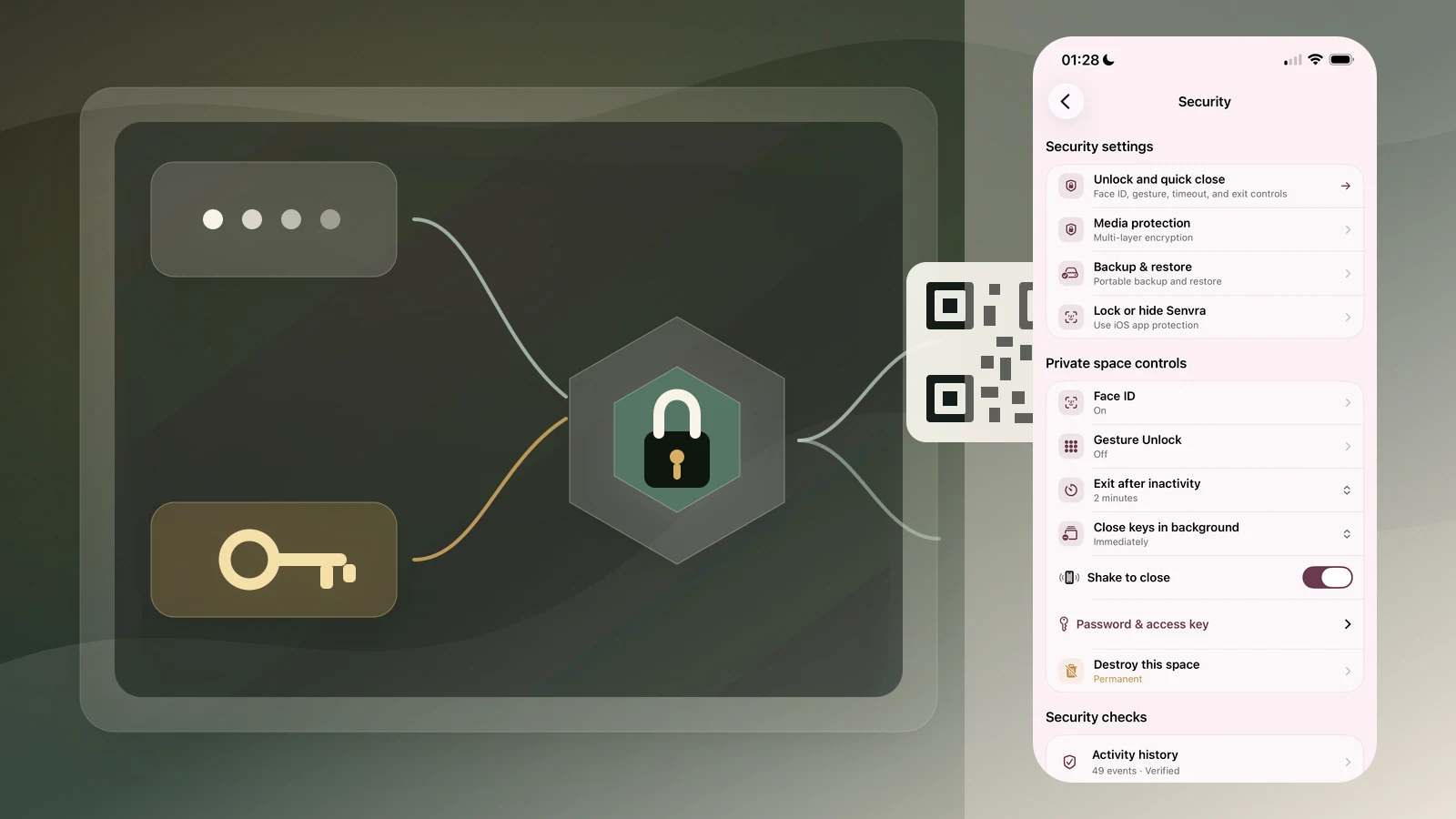
While using Senvra ourselves, we kept running into a deceptively simple question: after creating a private space, where should its Access Key live?
Keeping it only on the same phone defeats part of its recovery purpose. Putting the plaintext key in email, notes, a password manager, or another drive makes it recoverable, but also creates more places where a credential capable of opening the space can be exposed.
Then comes the moment when the key is actually needed. The user has to find it, copy it from wherever it was stored, move it onto the current phone, and paste it into Senvra. That journey is both uncomfortable from a security perspective and poor as a product experience.
This recurring real-world problem led us to redesign the workflow. A coming Senvra update will add two optional tools: a PIN-protected Access Key copy and QR transfer. The goal is not to pretend that a six-digit PIN is a high-entropy secret. It is to reduce how often the raw 256-bit Access Key appears in plaintext and to remove unnecessary clipboard handoffs.
The problem appears in everyday handling
Inside Senvra, a private space is already protected by a random 256-bit master key and authenticated key wrappers. The weak point discussed here begins after the user exports the Space Access Key.
Swipe horizontally to explore the diagram
This diagram could not be rendered. Its source is still available below.
View diagram source
flowchart TB
    accTitle: Responsive flowchart
    subgraph R1[" "]
        direction LR
        A[Plaintext Access Key] --> B[Email, note, or drive] --> C[Import to current phone]
    end
    C --> D[Access and recovery]
    C --> E[Credential maintenance]
    D --> F[Open private space]
    D --> G[Create or restore backup]
    E --> H[Reset or change password]
    E --> I[Rotate Access Key]
    style R1 fill:transparent,stroke:transparent
An Access Key is therefore more than a string kept only for a forgotten password. It is the recovery and maintenance credential for opening the private space, creating or restoring its backup, resetting the password, and rotating the Access Key itself. Because it enables so much, the way it is stored and transferred deserves its own security design.
Email drafts may sync. Notes may be indexed. Clipboard managers may retain history. Another app may read a pasted value at the wrong time. None of those risks means that local encryption failed; they mean the recovery credential left its original boundary in plaintext.
The first design requirement was therefore simple: let users keep a portable copy without requiring the raw Access Key to remain readable everywhere it is stored.
An optional protected copy
The new flow lets a user add a separate six-digit PIN to an Access Key copy. The original Access Key remains a uniformly random 32-byte value. Senvra creates a 16-byte random salt, derives key material from the PIN with PBKDF2-HMAC-SHA256 using 600,000 iterations, and then applies HKDF-SHA256 with a domain-specific context to produce a 32-byte mask.
The Access Key bytes are XORed with that mask. The portable envelope also contains a masked version header and 0–24 bytes of random padding, then uses a custom 64-character transport alphabet. The exported result contains no email address, space name, account identifier, or readable “Senvra Access Key” label.
Swipe horizontally to explore the diagram
This diagram could not be rendered. Its source is still available below.
View diagram source
flowchart TB
    accTitle: Responsive flowchart
    subgraph R1[" "]
        direction LR
        A[Access Key + separate PIN] --> B[PBKDF2<br/>600,000 iterations] --> C[HKDF<br/>32-byte mask]
    end
    subgraph R2[" "]
        direction RL
        D[XOR + randomized envelope] --> E[Protected text or QR] --> F[PIN creates candidate key]
    end
    subgraph R3[" "]
        direction LR
        G[Target private-space wrapper] --> H{AES-GCM opens?} --> I[Accept or reject]
    end
    R1 --> R2
    R2 --> R3
    style R1 fill:transparent,stroke:transparent
    style R2 fill:transparent,stroke:transparent
    style R3 fill:transparent,stroke:transparent
The custom alphabet and random padding are transport obfuscation, not the source of cryptographic strength. The protection comes from the PIN-derived mask. The six-digit PIN still has only one million possibilities, so this feature is deliberately described as an additional barrier against casual plaintext exposure, not as a replacement for a high-entropy secret.
Why the protected copy does not say “wrong PIN”
An obvious implementation would encrypt the Access Key with authenticated encryption and report whether the tag verifies. That is convenient, but a leaked protected string would then carry its own PIN-checking oracle: an attacker could test guesses and immediately learn whether each guess was correct.
Senvra intentionally avoids that property. Every syntactically valid six-digit PIN produces a plausible 32-byte Access Key candidate. A modified protected string can also produce a plausible candidate. The outer protection layer alone does not know whether the candidate is right.
The decision is deferred to the only place that has the right context: the target private space. Senvra derives that space’s recovery wrapping key from the candidate Access Key and tries to open the authenticated AES-256-GCM wrapper around the space master key, bound to that space’s identity. Only that operation can establish whether the Access Key actually belongs to the space.
This distinction matters:
- A leaked protected string by itself does not provide a self-contained correct-PIN signal.
- A wrong PIN does not fail early with a helpful authentication result; it yields the wrong candidate key.
- The target space rejects that candidate when its authenticated master-key wrapper cannot be opened.
- If an attacker also obtains the target vault metadata, that metadata may provide a verification target. A six-digit PIN must therefore still be kept separate and treated as limited-strength protection.
Higher cost, not impossible brute force
The 600,000 PBKDF2 iterations make every PIN guess deliberately expensive. When target-space verification data is also available, exhaustively checking all one million six-digit values would require up to one million full derivations—about 600 billion configured PBKDF2 iterations. That is a substantial cost increase over plaintext storage or a fast hash, but it is not mathematically impossible brute force.
In normal use, the Senvra app performs the final check while opening the target private space. The cryptographic requirement, however, is the target space's authenticated wrapper—not secret logic that can exist only inside the official app. Someone who has both the protected copy and the target vault metadata could build an equivalent offline verifier. Someone who has only the protected copy cannot confirm guesses from that string alone. This is why the protected copy and its PIN should be stored separately.
We chose a narrower and more honest property instead of claiming that a short PIN is strong encryption.
QR reduces handling; it does not make the key public
The update also allows an Access Key copy to be shown and saved as a QR image. On another device, Senvra can scan it with the camera or read it from a selected image and fill the Access Key field locally.
That removes several clipboard steps. A user can keep a protected QR image in a chosen storage location, scan it when needed, and enter the separate PIN. The protected string and the QR image represent the same material; QR is a transport format, not another encryption layer.
The safety rule remains straightforward: anyone who can scan or save the QR image can copy its payload. A plaintext Access Key QR must be protected exactly like the plaintext key. The safer workflow is to store a PIN-protected QR and keep the six-digit PIN somewhere else.
Senvra also keeps the format narrow: the scanner accepts only canonical plaintext Access Keys or valid protected envelopes, rejects arbitrary URLs and unrelated QR content, limits imported image size, and clears in-progress PIN input when the app leaves the active state.
Existing keys do not need to be replaced
The protected copy changes how an Access Key is stored and transported; it does not rotate the private space’s underlying Access Key. Existing plaintext keys remain compatible.
In the coming update, users can:
- Protect a newly generated Access Key before saving it.
- Convert an existing plaintext Access Key locally in Security → Password & Access Key.
- Keep the result as text or a QR image.
- Scan or paste it later, then enter the separate six-digit PIN.
- Explicitly switch back to the plaintext representation when necessary.
The conversion tool does not add the key to another space and does not upload it. After creating the protected copy, Senvra clears the plaintext key and PIN from that tool’s transient UI state.
The practical security model
This feature is about reducing exposure, not eliminating responsibility.
Keep the protected copy and its PIN in different places. Do not assume a photo library, mailbox, or notes app is private merely because access is convenient. Delete old plaintext copies after confirming the protected copy works. Test recovery before relying on it. And remember that losing both the usable Access Key and the password still makes the private space unrecoverable; Senvra has no server-side recovery backdoor.
The broader Senvra key model is explained in Why Senvra can change a password without re-encrypting every file.
The upcoming release turns a formerly plaintext-only recovery workflow into a choice: preserve compatibility when needed, or add a separate PIN and QR-based handoff when reducing plaintext exposure matters more.