Use case
Use SignalMetric when a room, microphone, speaker, or recording has an audio problem that needs measurable evidence instead of a subjective guess.
 MonoWare

Product guide
Audio evidence and inspectionInspect loudness, peaks, spectrum, and waveform detail when a recording, room, or device signal needs evidence instead of guesswork.
Overview
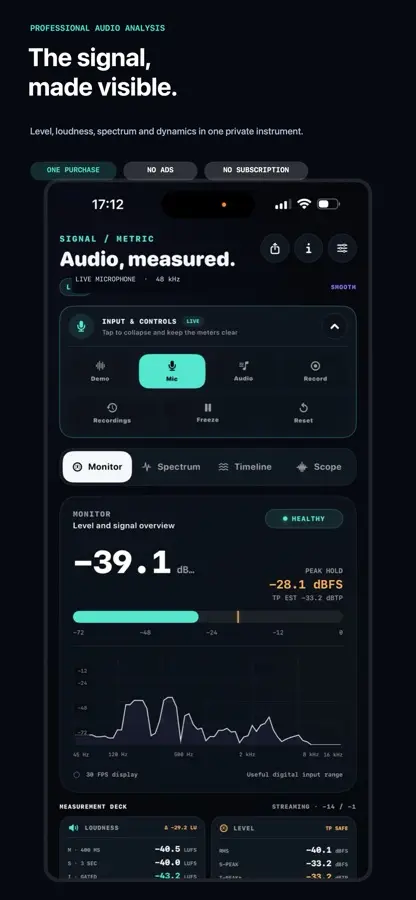
SignalMetric gives audio troubleshooting a dedicated on-device workspace for RMS, peak hold, true-peak estimates, headroom, spectrum shape, timeline energy, and waveform detail.
In practice
Use SignalMetric when a room, microphone, speaker, or recording has an audio problem that needs measurable evidence instead of a subjective guess.
Open a live microphone or audio file, compare level, spectrum, timeline, scope, and waveform views, then inspect the moment where the signal changes.
Analysis runs in the on-device workspace. Audio does not need an account-based cloud service for the inspection workflow.
SignalMetric engineering notes
Technical decisions, implementation details, and product context published for SignalMetric.
SignalMetric 2.0 aligns iOS and Android around file checks, recording preparation, A/B comparisons, environment noise and a redesigned instrument workspace.
A source-first workflow for learning the meter, inspecting live audio and files, and creating an explicit local recording only when needed.
How SignalMetric keeps its live meter, spectrum, timeline, and waveform views coherent without allowing real-time work to become a UI backlog.
A practical guide to the different questions answered by dBFS, LUFS, True Peak, spectrum, history, and waveform views in SignalMetric.