Use case
Use MonoProxy when a TV, tablet, computer, app, or test device on the same network needs a temporary HTTP or SOCKS proxy you can inspect directly.
 MonoWare

Product guide
Controlled local proxyGive nearby devices, apps, and test environments controlled network access through your iPhone when you need a proxy without a remote relay.
Latest release
A reliability-focused update for sharing your iPhone's network through a local HTTP or SOCKS proxy.
Read the 2.4.0 release notesOverview
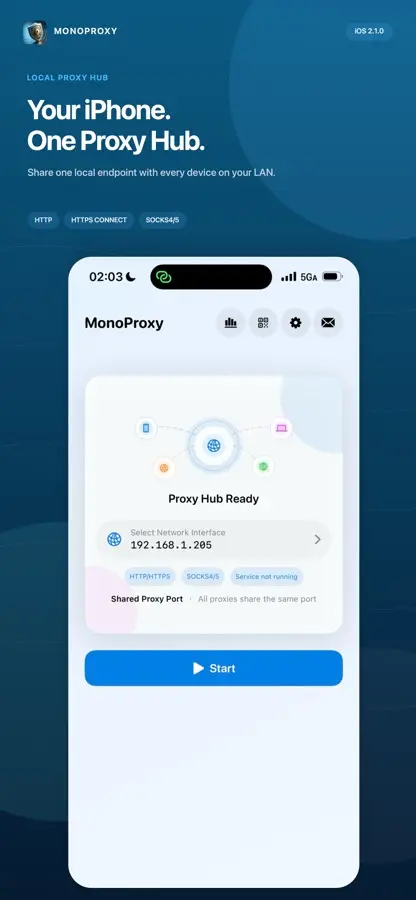
MonoProxy turns iPhone-based proxy setup into a guided workflow: choose a protocol, expose the listener, share QR setup, inspect clients, and verify traffic without routing diagnostics through a remote service.
In practice
Use MonoProxy when a TV, tablet, computer, app, or test device on the same network needs a temporary HTTP or SOCKS proxy you can inspect directly.
Select a protocol, start the local listener, share the endpoint or QR configuration, then watch connected clients and traffic counters while you test.
The proxy endpoint runs on your local network without a MonoWare relay. You decide when it is available and can see which clients connect.
MonoProxy engineering notes
Technical decisions, implementation details, and product context published for MonoProxy.
MonoProxy 2.8.3 adds Siri and Shortcuts automation, network-aware proxy profiles, SOCKS5 UDP relay, clearer stop notifications, and stronger connection recovery.
MonoProxy 2.4.0 improves large transfers, uploads, Range requests, long-lived sessions, local setup, and network diagnostics on iPhone and iPad.
MonoProxy 2.3.1 brings a clearer local proxy workflow, stronger client controls, better diagnostics, and more reliable transfers to iPhone and iPad.
How MonoProxy classifies HTTP, CONNECT and SOCKS on one listener, then preserves ordering, backpressure, half-close semantics and security boundaries.
A practical path from choosing a reachable iPhone interface to configuring a client, verifying traffic and securing local proxy access.