
Private software has two jobs: protect what is here today, and make sure it can still be used tomorrow.
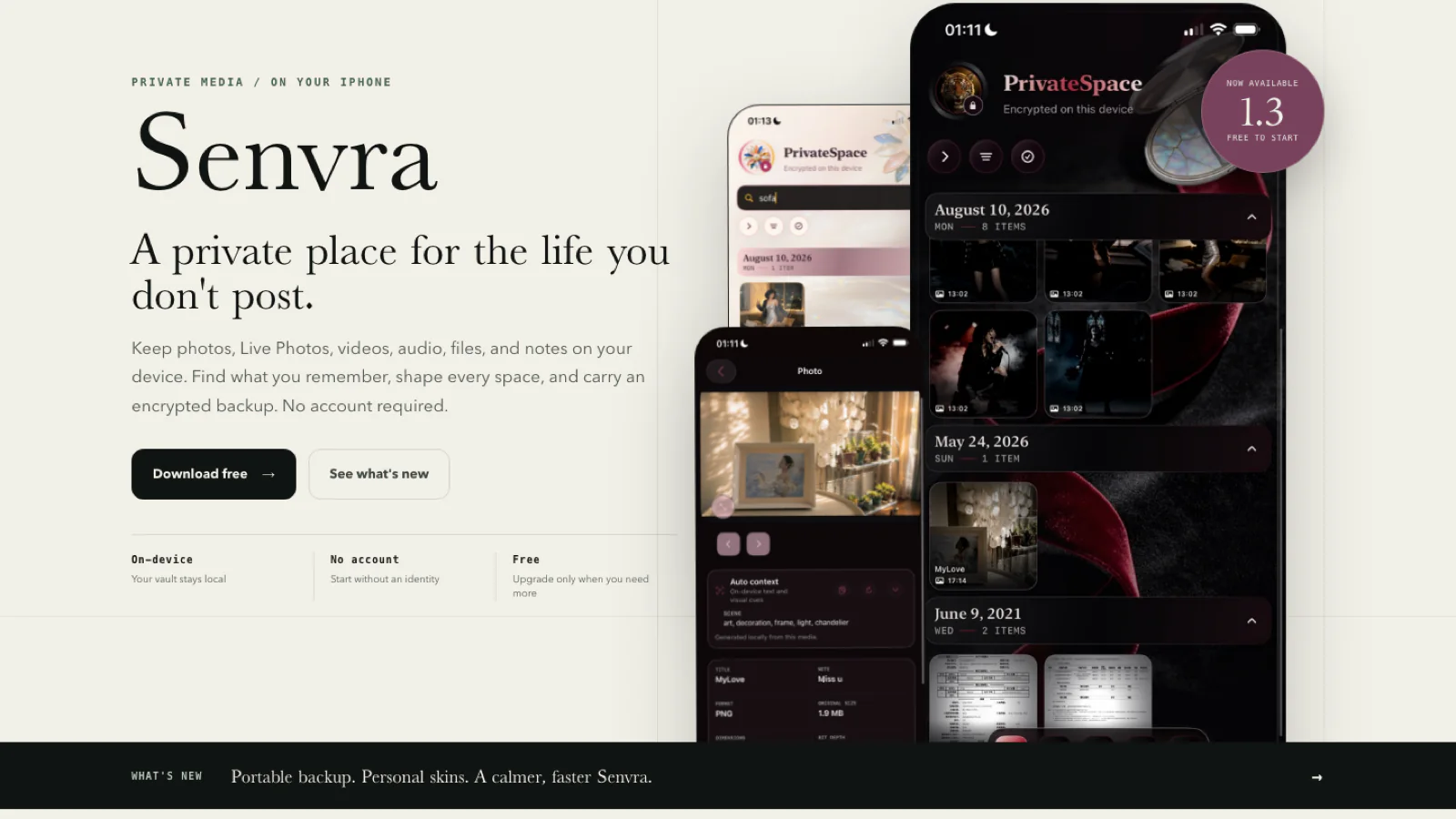
Senvra 1.3 is our largest step toward doing both. It adds portable encrypted backup and restore, a complete skin system, a free starting plan, stronger media and document workflows, and many smaller interaction changes that make the app calmer to use every day.
The core experience is now free
Senvra is now free to download and use. The free plan includes one private space with up to 30 items. It is the actual product, not a timed preview: you can create a space, protect personal media and notes, search your library, and understand how the privacy model fits your life before deciding whether you need more.
Pro is for a larger, longer-lived archive. It removes the space and item limits and adds portable backup and recovery plus custom skin packages.
We chose this boundary because privacy software should earn trust through use. A paywall should not be the first thing between someone and the product's core behavior.
Portable backup and restore
A local archive has an honest tradeoff: there is no server-side account waiting to rebuild it. Senvra 1.3 therefore adds a recovery path that remains under the user's control.
Create an encrypted backup for one space, save the .senvrabackup file to Files, external storage, or another destination you choose, then ask Senvra to test the saved file. The app does not mark the backup complete merely because an export sheet appeared.
One important correction to our earlier backup note: the shipping 1.3 design no longer asks you to manage a separate per-backup Backup Key. A backup is protected with the source Space Access Key. An older backup still needs the Access Key that was active when that backup was created, even if the space receives a replacement key later.
Restore is additive. It brings back missing protected items and leaves matching content untouched. Authentication and structural checks happen before imported data is accepted.
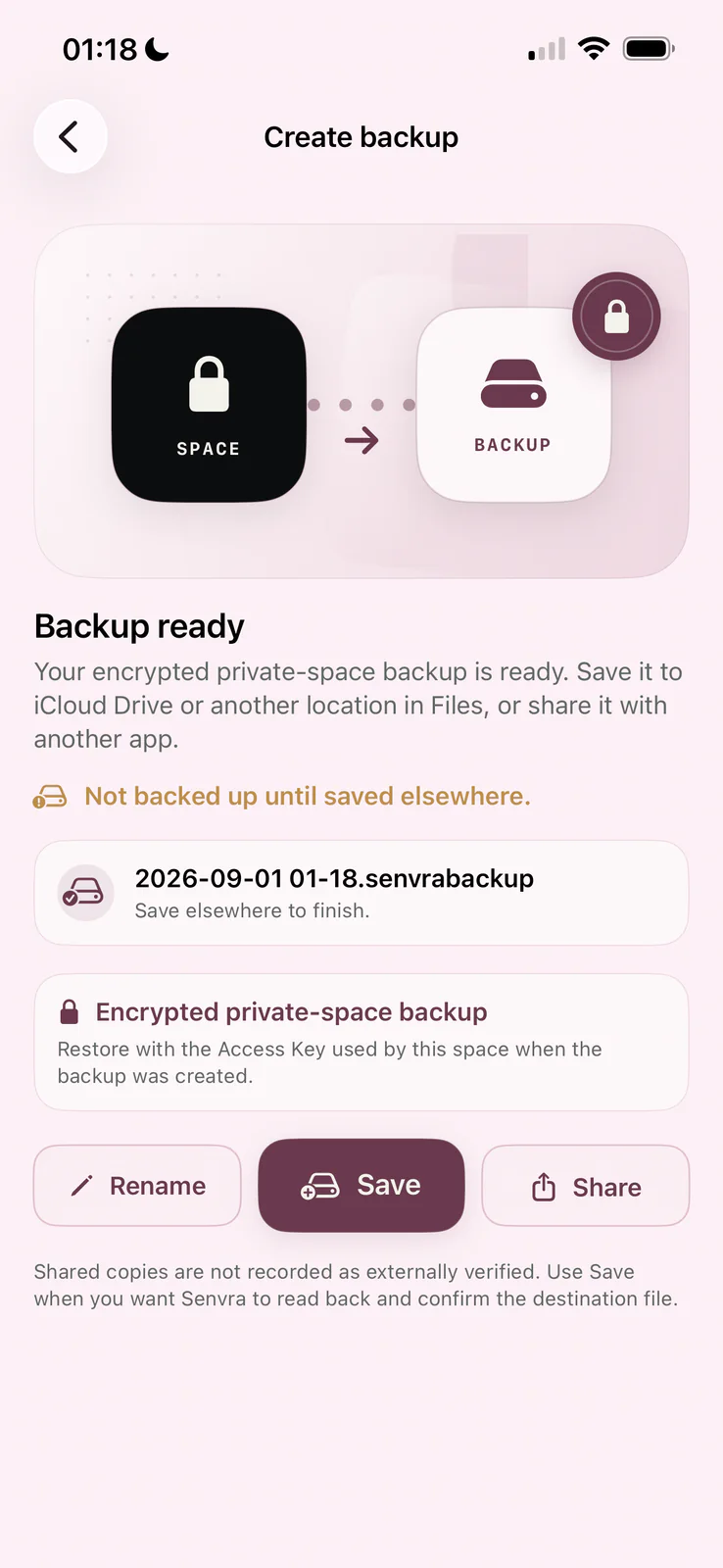
This does not remove the user's responsibility. A backup file and its matching Access Key must be stored separately and kept available. If both are lost, Senvra has no hosted recovery copy or server backdoor.
Spaces can finally look like yours
Private does not have to mean generic.
Senvra 1.3 introduces coordinated skins that change the space as a whole: title treatment, controls, timeline, media cards, colors, and background. Archive, Minimal, Noir, and Blush provide distinct starting points, while Pro adds custom skin packages.
The appearance editor previews the complete result before saving. A personal image can still be used, and metadata is removed from the encrypted copy stored in the space.
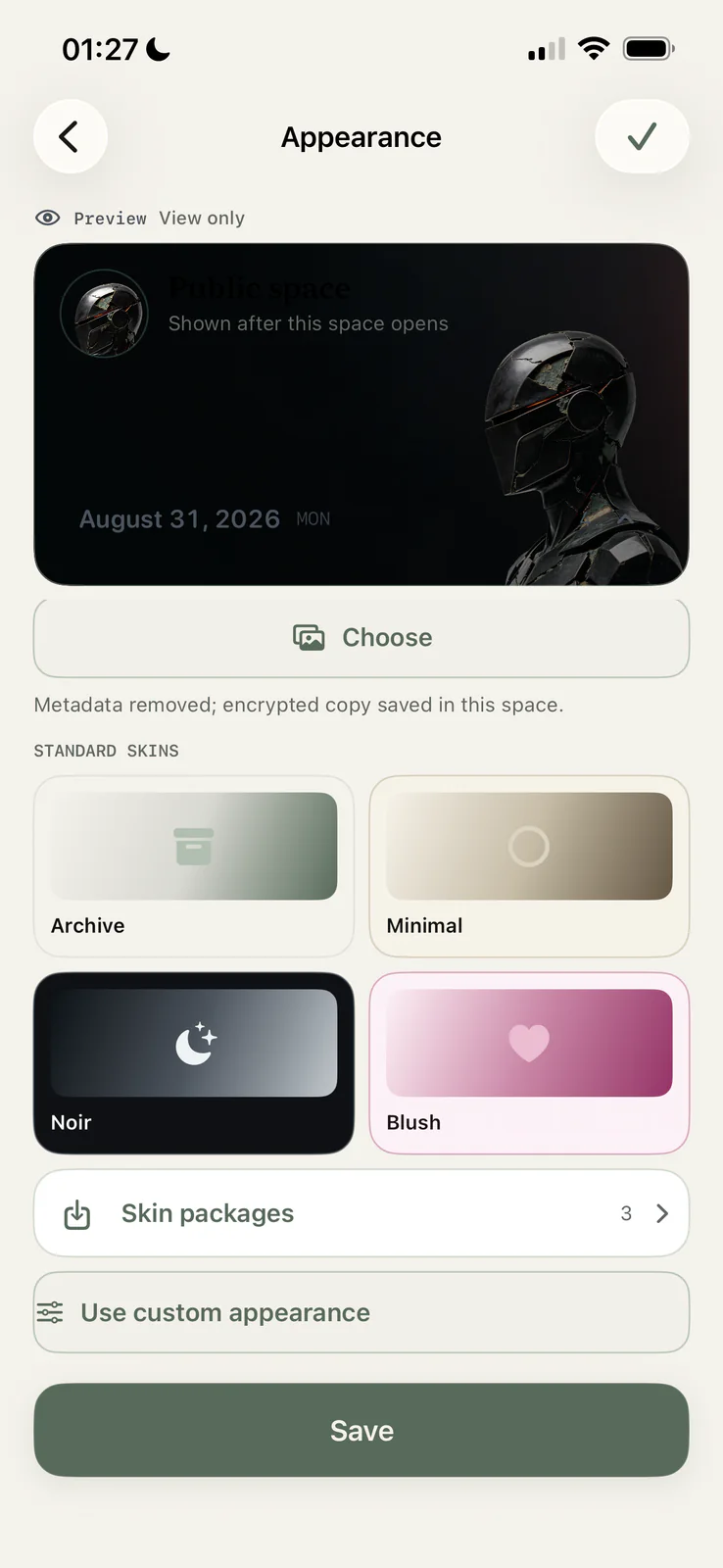
This is not decoration added after the privacy work. A private archive is something people may return to for years. Giving each space a recognizable identity makes a large library easier to navigate and more pleasant to maintain.
Auto Context stays on the device
The file-detail view now makes more of the archive understandable in one place. Alongside the title, note, format, dimensions, and other metadata, Senvra can show Auto Context generated locally from the media.
For a photo, that can mean simple scene and visual cues such as art, frame, light, or decoration. These cues support search without sending the private library to a hosted analysis service.
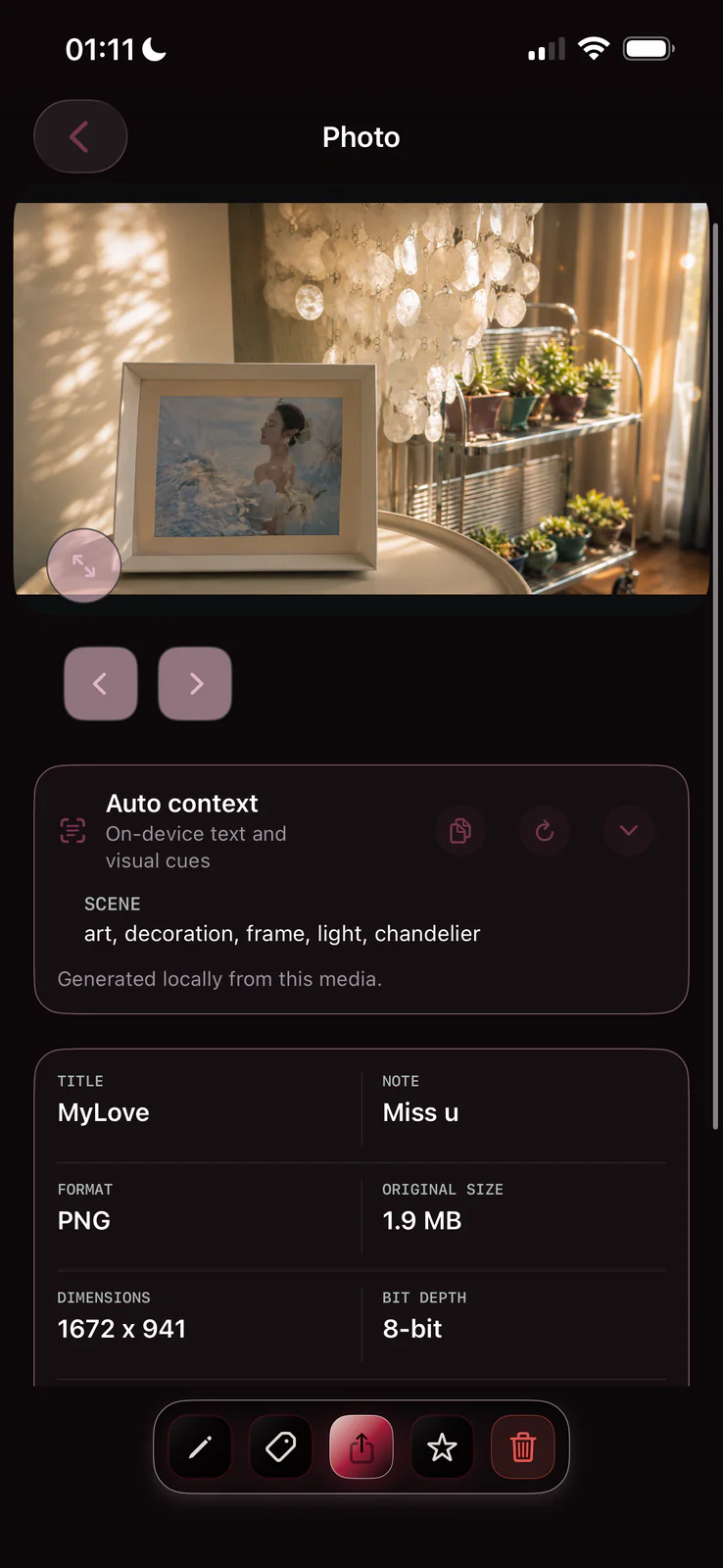
Auto Context is a retrieval aid, not a claim that a model fully understands a photograph. The generated cues remain editable, local, and subordinate to the information the owner adds.
The release between the headline features
Much of 1.3 is visible only after using the app for a while:
- Search has a clearer in-library state and works across titles, notes, dates, document text, and local context.
- Media paging and detail presentation are steadier.
- Document scanning, protected documents, rich notes, audio recording, calculator, and unit conversion feel like parts of one space instead of separate utilities.
- Photo metadata is easier to inspect, and redaction can create a protected edited copy.
- Direct password routing, Face ID, gesture access, quick close, inactivity controls, activity history, and integrity checks are easier to find and reason about.
- The app experience is available in English, Simplified Chinese, Traditional Chinese, Japanese, and Korean.
What has not changed
Senvra still requires no account and creates no Senvra-hosted cloud vault. It does not automatically upload private content. Photos, Live Photos, video, audio, files, scans, and notes remain organized around spaces on the device.
Those boundaries are deliberate, but they are not a claim of absolute security. Device compromise, coercion, screenshots initiated by the user, and copies exported from the app remain outside what Senvra can fully control.
You can see the current feature and plan boundaries in the Senvra product guide, or read the detailed release presentation on the Senvra 1.3 website.
Senvra 1.3 is available now on iPhone and iPad.